Document Management System
Ask a question, get the document. AI search across every file, with access control built in.
Discuss your workflow- Conversational AI Retrieval (Ask)
- Deep Full-Text Search
- Retrieval-Time RBAC
- Lifecycle & Approval Workflows
Sound familiar?
Shared drives hide what your team needs
Invisible Information
Important files get buried inside nested folders with unclear filenames, making documents and critical information difficult to find when they are needed.
Incomplete Metadata
Traditional search often fails when the correct keywords, client names, part numbers, or document details are not manually added to file properties.
Outdated Document Versions
Employees may accidentally work with outdated SOPs, unapproved contracts, expired price lists, or older document versions stored across different folders.
Security & Information Leak Risks
Shared drives often rely on broad folder permissions, which can expose sensitive financial, HR, contract, or business documents to users who should not have access.
Clear skies ahead
Search what is inside documents, not just their names
Conversational AI Retrieval (Ask)
Ask plain-language questions in English or Chinese and retrieve relevant documents, concise summaries, and source references using a local AI model.
Deep Full-Text Search
Search inside PDFs, Word files, Excel spreadsheets, and PowerPoint documents so important names, clauses, and part numbers can be found even when they are missing from filenames.
Retrieval-Time RBAC
Filter search results before answer generation so users only see and query documents they are explicitly authorized to access.
Lifecycle & Approval Workflows
Manage documents from draft to archive with approval routing, version history, controlled revisions, and Read and Understood acknowledgements.
Smart Counterparty Directory
Unify duplicate or aliased client and supplier names to improve document matching and provide a more complete transaction history.
Automated Expiry Alerts
Track document expiry and renewal dates with configurable reminders, including 30-, 15-, and 7-day notifications.
Try it yourself
Ask for a document
Tap a question. The system searches inside every file and only shows what that person is allowed to see.
Ask for a document in plain words.
Your flight plan
From Document Upload to Instant Insight
- 1
Guided Upload & Ingestion
Upload files through a simple 3-step wizard with multi-tag metadata including Category, Department, Region, and Entity.
- 2
Local AI Indexing
The system automatically parses document contents, extracts full text, generates vector embeddings, and links access permissions.
- 3
Instant Retrieval
Query your document archive using natural language, structured filters, or exact keyword matches to retrieve relevant files and summaries.
A closer look at the process
Less searching, faster decisions, tighter control
Faster document retrieval
Find documents, clauses, quotations, invoices, and other information in seconds using natural-language questions, structured filters, or exact keyword search.
Reduced manual searching
Full-text indexing searches inside PDFs, Word documents, Excel spreadsheets, and PowerPoint files so staff no longer need to manually browse through nested folders.
Stronger access control
Retrieval-time role-based access control ensures users only see, query, and retrieve documents they are explicitly authorized to access.
More reliable document versions
Version control, revision history, and approval workflows help prevent staff from using outdated SOPs, unapproved contracts, or expired price lists.
Cleaner counterparty records
Deduplication and alias mapping unify different vendor and client names so related invoices, quotations, contracts, and other documents can be retrieved more accurately.
Better expiry management
Automated reminders at 30, 15, and 7 days before expiration help teams stay ahead of contract, license, and document renewal deadlines.
Worth a detour
How each department uses it
Legal & Procurement
A permission-aware workspace for contracts, quotations, supplier documents, and procurement records.
Best forFinance & Accounts
Search historical invoices, quotations, delivery notes, and supporting finance documents by content and metadata.
Best for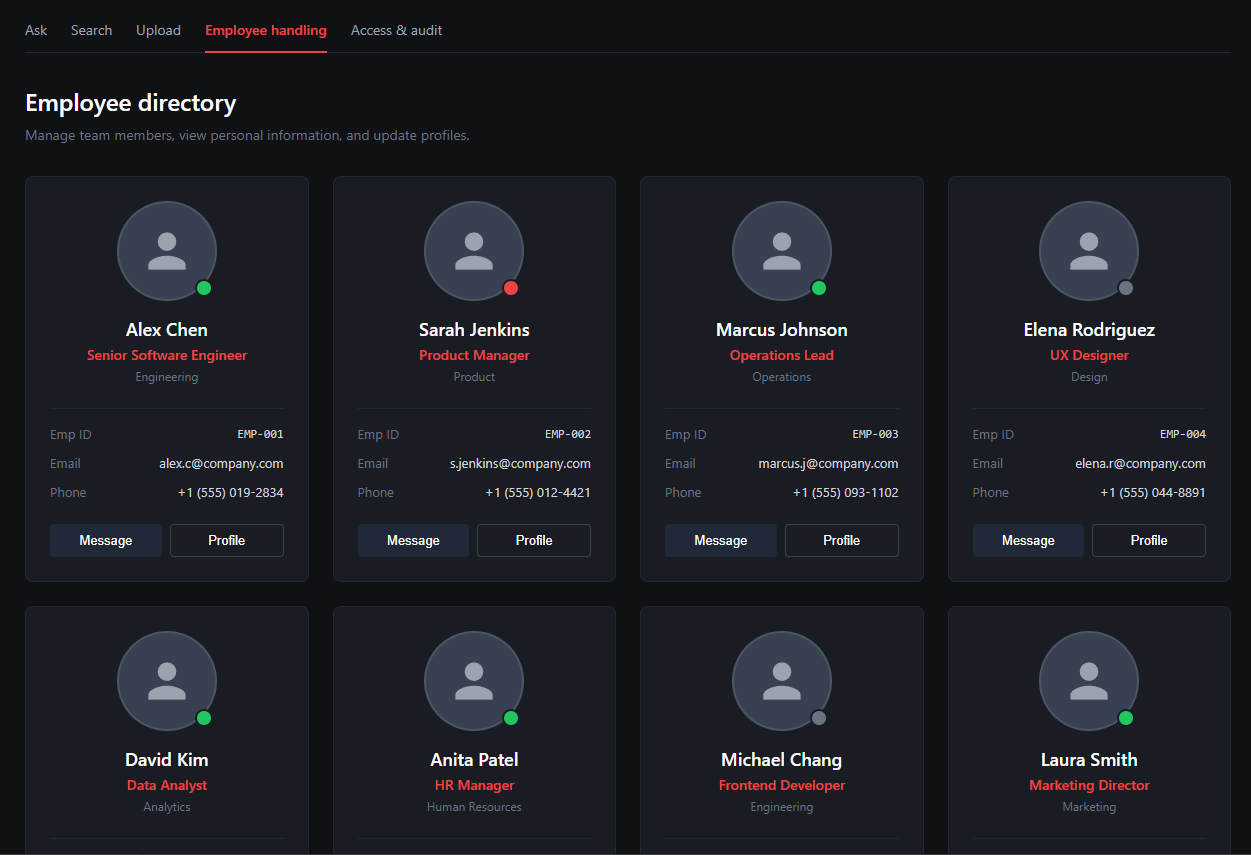
Human Resources
Centralize policies, employee handbooks, forms, and controlled HR documents with role-based access.
Best for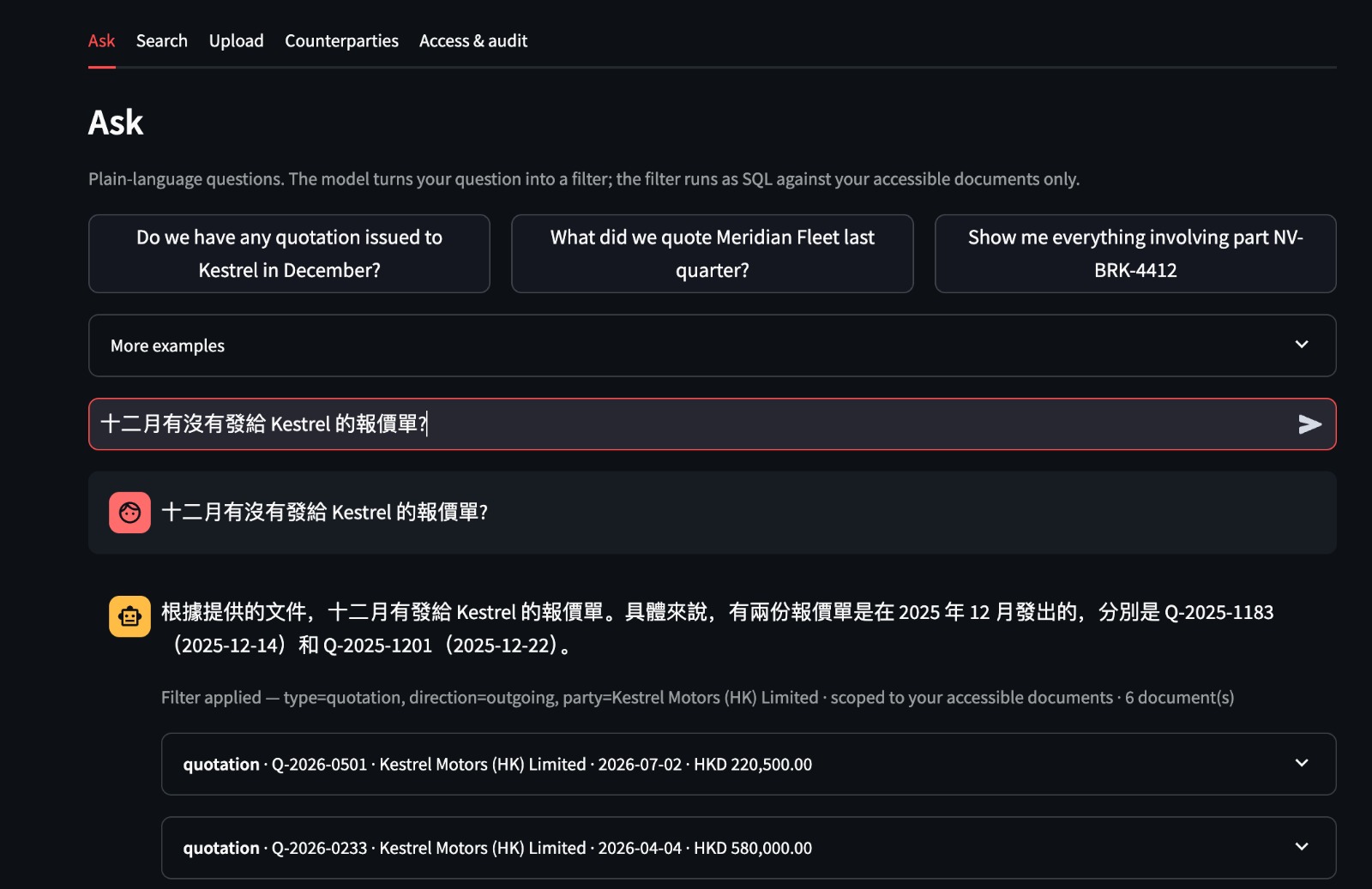
Operations & Engineering
Retrieve SOPs, technical datasheets, manuals, price lists, and operational records across teams and regions.
Best for
No technologies match your search. Please try another keyword.
Where it is used
Legal and procurement teams
Staff ask a question in plain language and get the right contract or clause, instead of opening folders one by one.
Finance and HR departments
Access rules decide who can see each document, and expiry alerts flag agreements that are about to lapse.
Engineering and operations
Staff search inside drawings, manuals and reports, and always open the latest approved version.
Connect the parts of the workflow that should work together.
- Deploy Frontdesk DMS on your internal infrastructure with local GPU acceleration, private AI processing, and integration with your existing document workflows.
- For custom automation or hardware integration not listed here, see our Custom Software Development.