Hotel POS System
A POS for resort outlets that posts dining, spa and venue charges straight to the guest's room folio.
Discuss your workflow- Direct Room & Guest Folio Charging
- Specific Person Billing in Shared Room
- Automated Buffet & Package Meal Redemption
- Multi-Outlet & Resort Facility Management
Sound familiar?
When outlet POS and the front desk do not talk
Unsynced Restaurant Bills
Dining and bar bills get lost or delayed, causing guest to check out at front desk without paying for their food.
Room Billing Confusion
Hard to charge food bill to specific person when multiple guests or colleagues share the same hotel room.
Manual Buffet Redemption
Tracking breakfast and buffet package redemptions manually causes voucher errors and double serving mistakes.
Mixed Resort Department Reports
Outlets like spa, pool bar, and restaurant mix up daily sales reports, making shift balancing messy for finance.
Paper-Based Venue Reservation
Managing KTV rooms, meeting spaces, and anniversary dinner setups on paper leads to double booking errors.
Forgotten Equipment & Extra Charges
Cashiers cannot leave quick reminders for front desk to collect rented equipment or extra item charges before guest check-out.
Clear skies ahead
Features for hotel and resort outlets
Direct Room & Guest Folio Charging
Charge dining orders, drinks, and spa services directly to guest room folio with instant room status check.
Specific Person Billing in Shared Room
Select exact guest name from room occupant list so bills are assigned correctly when multiple guests share a room.
Automated Buffet & Package Meal Redemption
Check room package entitlement and process breakfast, lunch, or dinner buffet redemptions easily without manual paper coupons.
Multi-Outlet & Resort Facility Management
Operate POS terminals across hotel restaurant, pool bar, gift shop, spa counter, and watersports desk under one centralized system.
Department-Specific Access & Reporting
Set user permissions so each outlet manager only views sales reports, stock counts, and shift summaries for their own department.
Venue, KTV & Event Space Booking
Book KTV rooms, meeting rooms, buffet tables, and anniversary dinner setups directly from POS cashier terminal.
Front Desk Remarks & Equipment Return Notes
Allow cashiers to add internal notes to guest room folio regarding unreturned equipment, rental deposits, or extra pending charges before check-out.
Complete POS Cashier & Bill Splitting
Handle cash, credit card, e-wallet, bill splitting by item or seat, and table transfer easily during peak business hours.
PMS & SQL Accounting Integration
Connect to hotel PMS and SQL Accounting software to post daily revenue and inventory updates without duplicate work.
Try it yourself
Charge it to the room
Tap what the guest ordered, then charge it to the room. The menu and prices here are samples.
Your flight plan
A smooth workflow from POS order to front desk check-out.
- 1
Take order or book venue
Staff record table dining order, scan buffet redemption voucher, or reserve KTV room directly on POS terminal.
- 2
Verify room and select guest name
Staff search guest room number, choose specific guest name from room list, and charge bill to guest room folio.
- 3
Add front desk remark
Cashier attach internal note for front desk if guest rent equipment or require extra verification before leaving.
- 4
Automatic sync and department report
Bill posts instantly to PMS guest folio and updates daily department sales report automatically.
A closer look at the process
Charges on the room instantly, reports by department
1-Click Room Folio Charge
Post restaurant and spa bills directly to guest room account with real-time room status and guest name verification.
Department-Filtered Reporting
Outlet managers access only their own department sales and shift reports without disturbing central hotel finance.
Instant Front Desk Cashier Notes
Pass quick notes to front desk automatically so unpaid fees, unreturned equipment, or special charges are caught early.
Worth a detour
Explore key software capabilities
Room & Folio Direct Billing
Direct room folio posting module for hotel POS terminals.
Best forSpecific Guest Folio Charging
Guest selector for room accounts with multiple occupants.
Best forBuffet & Meal Voucher Redemption
Meal package verification and redemption module.
Best forMulti-Outlet Resort POS
Centralized POS system for all resort commercial outlets.
Best for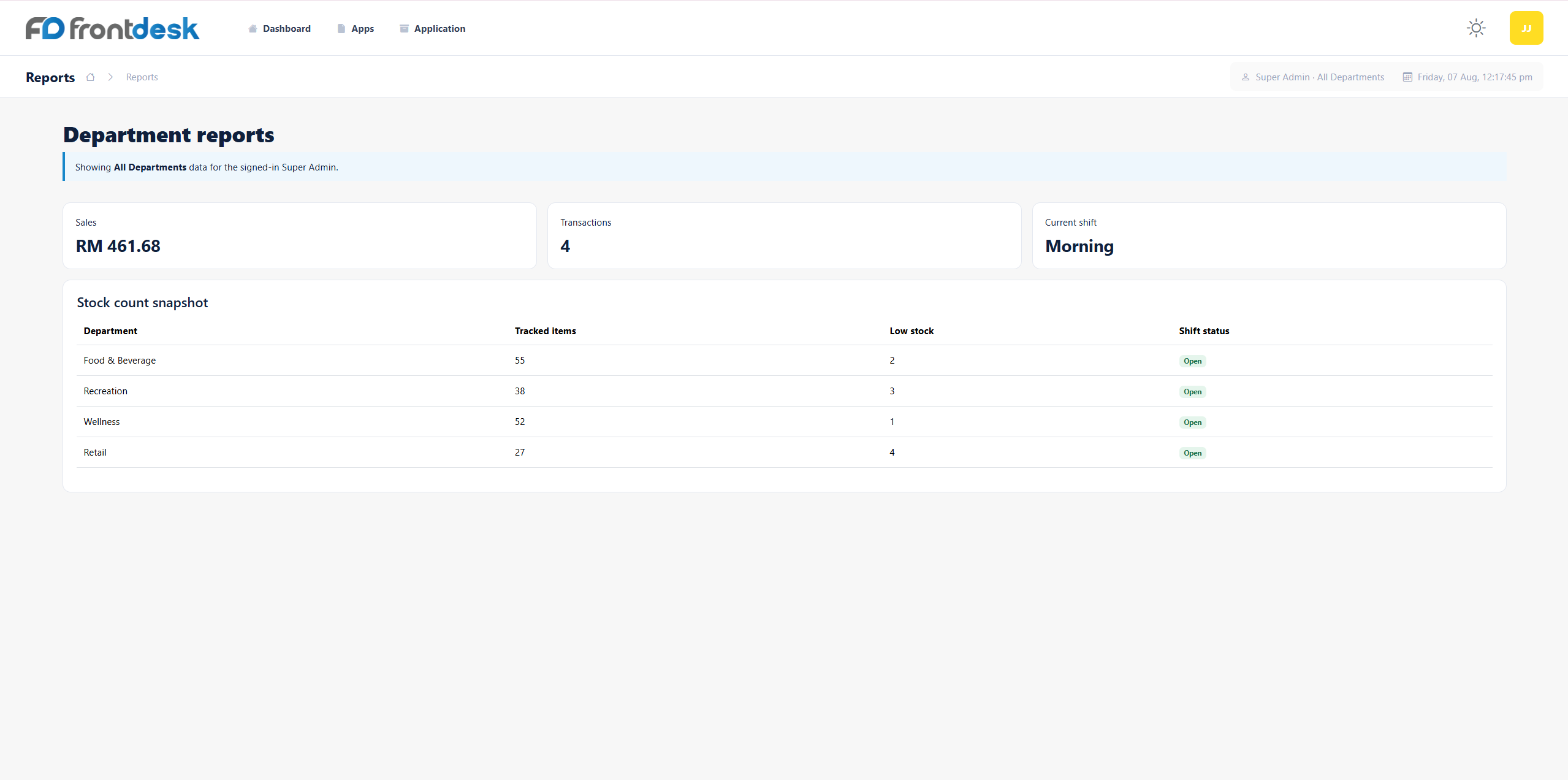
Departmental Sales Reporting
Restricted report module for department managers.
Best forVenue & KTV Space Booking
Reservation manager built into POS cashier screen.
Best for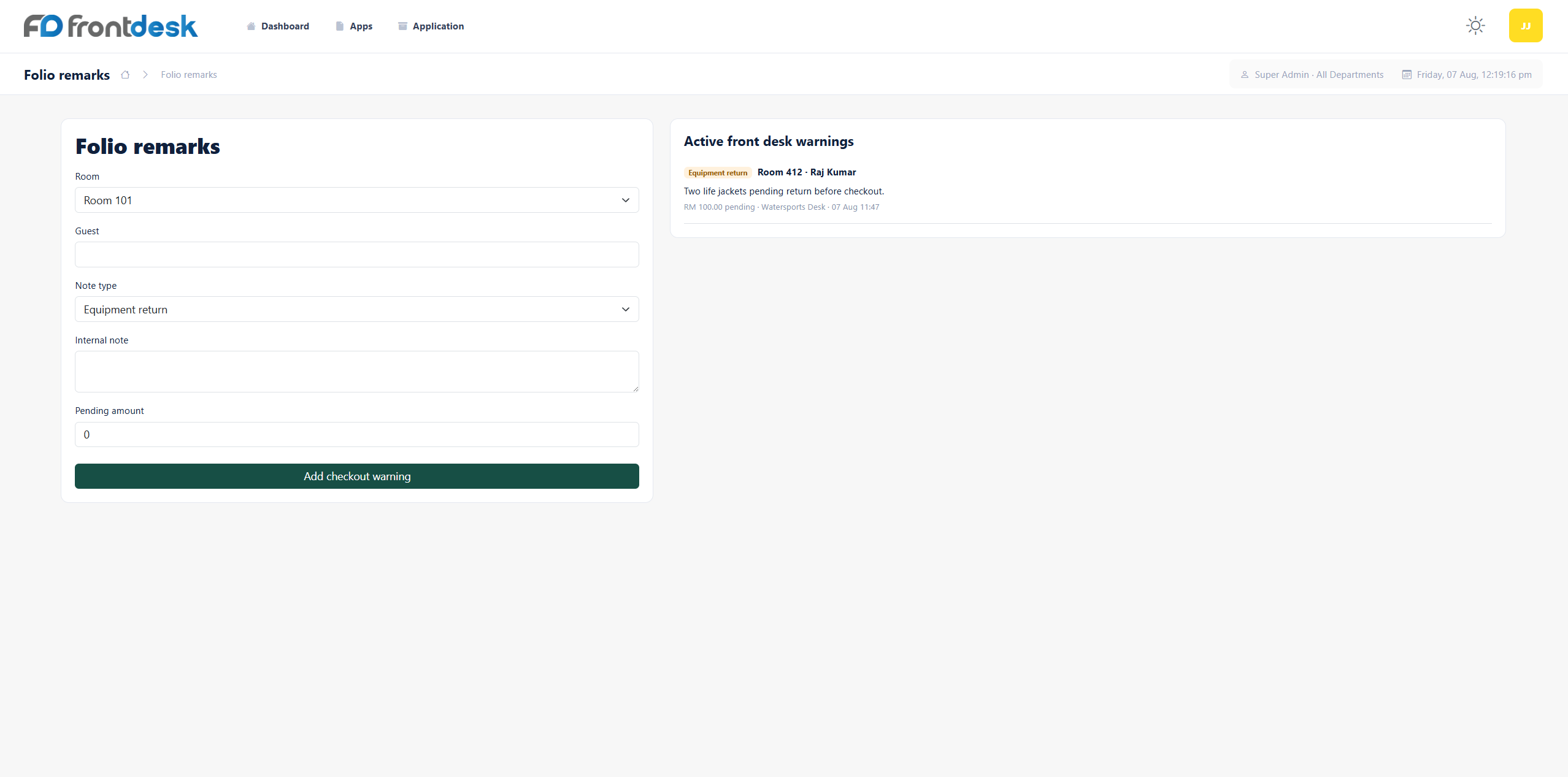
Front Desk Cashier Remarks
Communication note tool between POS cashiers and front desk.
Best for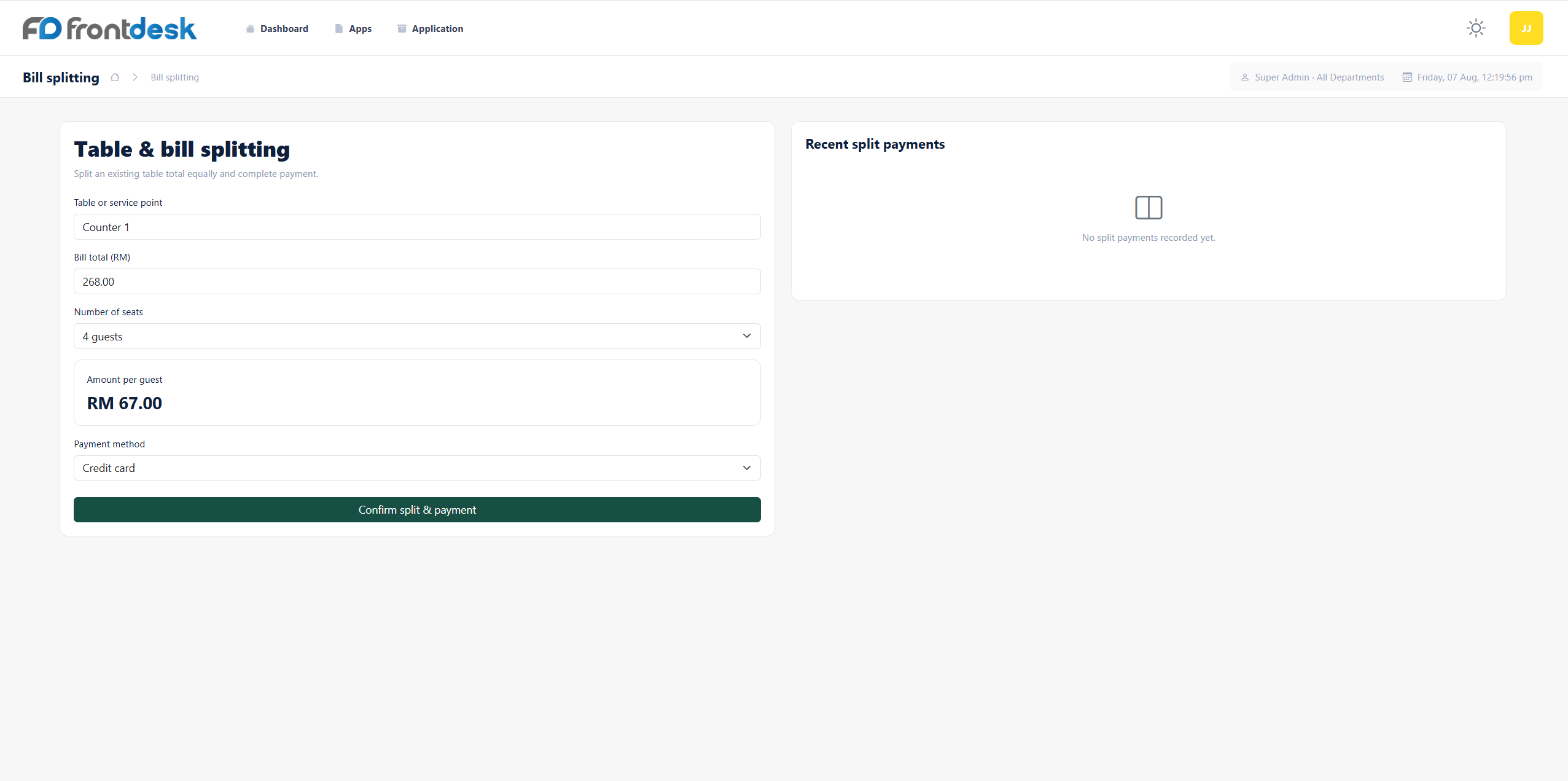
Table & Bill Splitting POS
Standard cashier and table management POS feature set.
Best forPMS & SQL Accounting Integration
Two-way sync connector with PMS and accounting software.
Best for
No technologies match your search. Please try another keyword.
Where it is used
Resort restaurants and bars
A guest signs the bill to their room and the charge appears on the folio straight away.
Hotels with buffet packages
Package meals are redeemed at the outlet, so staff can see who has already eaten.
Properties with a spa, KTV or function rooms
Each outlet sells on its own POS and reports its own sales by department.
Connect the parts of the workflow that should work together.
- Our hotel POS system connects with hotel PMS software, electronic room key card systems, payment terminals, and SQL Accounting software.
- Dining charges, venue rental fees, and spa bills transfer to guest room folios and accounting ledgers automatically without manual data entry.
- To equip the lobby or front desk, see our Hotel & Resort Hardware, or connect to our Hotel PMS.
- For LHDN e-Invoices on your bills and receipts, connect this system to our e-Invoice Integration.